Plan once. The records write themselves.

Schoolhouse is the office staff for a homeschool. Enter each course as a list of lessons, check things off every day, and the attendance, hours, portfolio, and state reports are already done.

No accounts, no ads, no tracking. Your records live in your own iCloud and export to one file any time.

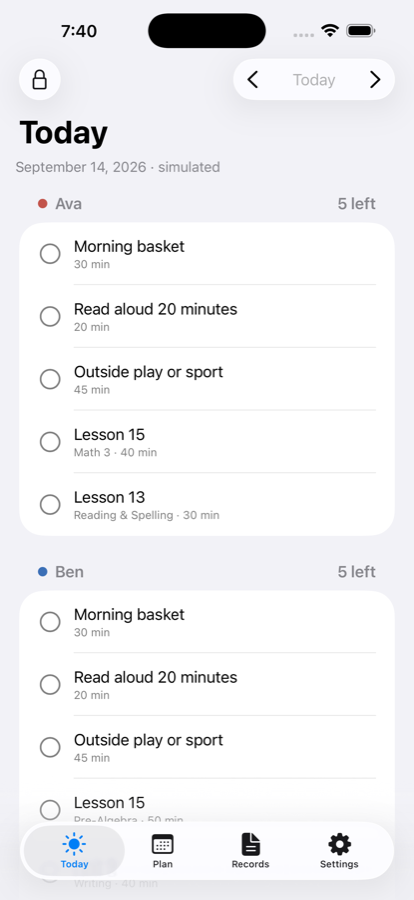
The Today screen on iPhone: three students, each with their lessons for the day and check circles

Three steps, then it runs itself

1

Photograph a table of contents

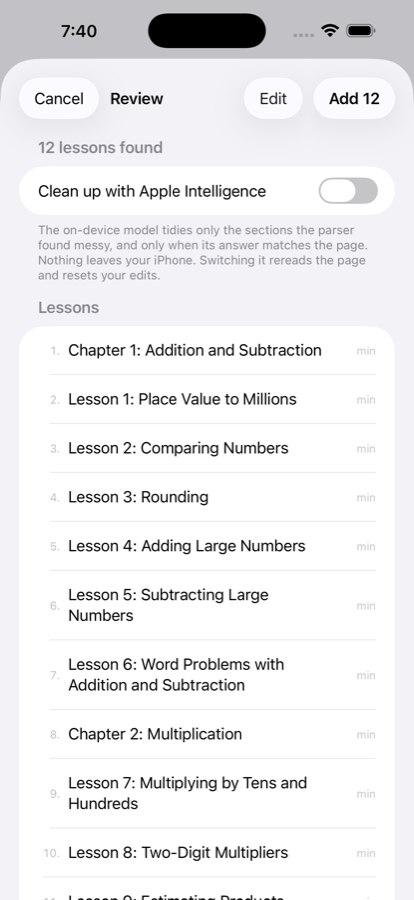
Point the camera at your curriculum's contents page. Schoolhouse reads the lesson titles, you fix anything it got wrong, and the course is laid out across your school year by the rule you choose: every school day, Monday-Wednesday-Friday, three times a week, or a loop.

The correction screen after scanning a table of contents, with lesson titles and minutes to edit
2

Check things off on Today

Each school day, every student's list is waiting. Tap the circle when something is done. That one tap is the attendance record, the hours record, and the lesson log. Missed a day? Bump, and the whole course shifts forward.

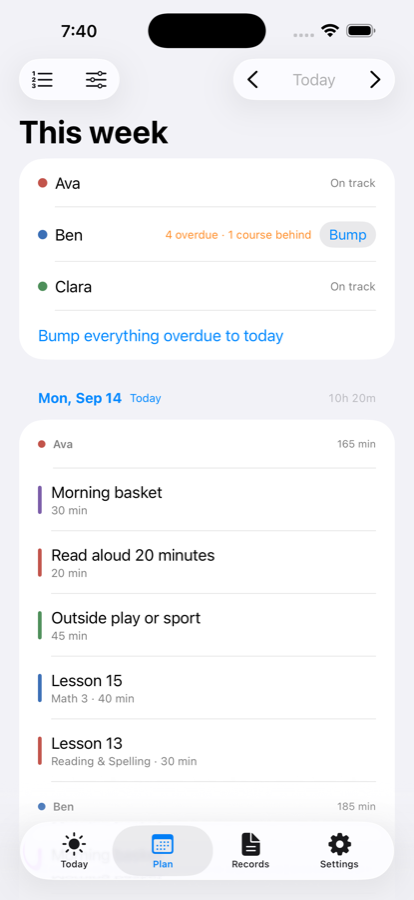
The Plan screen with the week's lessons and pace badges reading On pace and Behind
3

Print the report your state wants

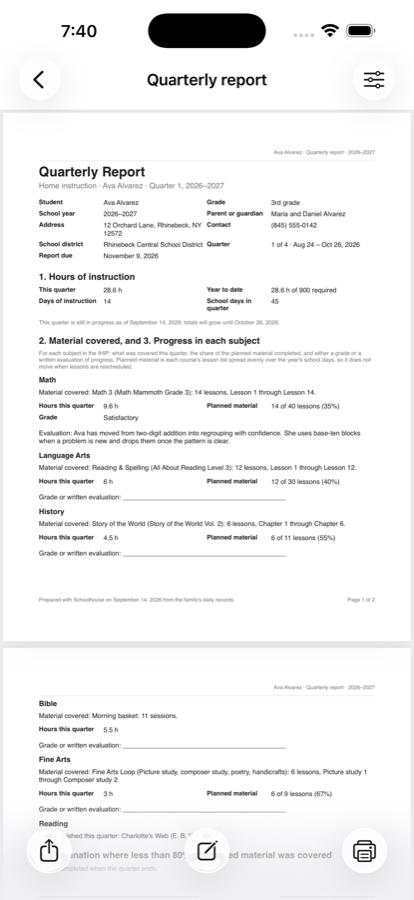
Attendance calendar, hours by subject, lesson log, reading list, portfolio book, plus the New York quarterly report and IHIP, the Pennsylvania evaluator summary, and the Missouri hours log. Share, print, or save as PDF.

A New York quarterly report PDF previewed in the app

Built for the way homeschools actually run

Bump, don't rebuild

Life happens. Bump one course, one student, or everything, and unfinished lessons move forward while finished and pinned ones stay put.

Pace you can see

Every course shows Ahead, On pace, Behind, or Won't finish, with the date it ends at the current rate. The February question, answered in September.

Loop scheduling

Art, music, poetry, handicrafts: a rotating list where the next thing is whatever comes next. Charlotte Mason families have wanted this for years.

Family courses

One read-aloud or science course shared by every child, checked off once for all of them, with notes and photos per student.

Student mode

Hand the iPad over. A locked checklist with big check circles and timers; a family PIN or your Face ID to leave; a small celebration when the day is done.

Records without a second entry

Attendance, hours by subject (core and non-core, home and away), portfolio photos, reading log with barcode scan, assessments, activities.

Reminders, widgets, Siri

A morning summary on school days, a Sunday nudge with what to bump, Home Screen widgets per student, and "What's left for Ben in Schoolhouse".

Your records are yours

iCloud sync across your devices, and a one-file backup you keep anywhere. Nothing is ever locked away, on any plan.
Free to start. Pro when you reach for it.

Free is the whole planner for one student, forever. Pro adds every student, printable reports, student mode, camera import, and an unlimited portfolio. The yearly plan starts with 7 days free, and there is a one-time lifetime purchase for families who would rather not subscribe.

See the plans

Made for your state

New York, Pennsylvania, and Missouri formats ship in 1.0, each citing the regulation it follows. Every other state gets the generic attendance, hours, lesson log, reading list, and portfolio reports, which is what most reviewers ask to see.

Read your state's page

Get Schoolhouse

Schoolhouse is in beta on TestFlight and comes to the App Store in January 2027 for iPhone and iPad (iOS 26 or later; runs on Apple silicon Macs as an iPad app). Want to join the beta? Write to us.